
Navi800 User Manual
Author:Dongguan Enfitnix Technology Co. Ltd.
Click:
Time:2024-08-23 13:57:31
User Manual Rev 0.0
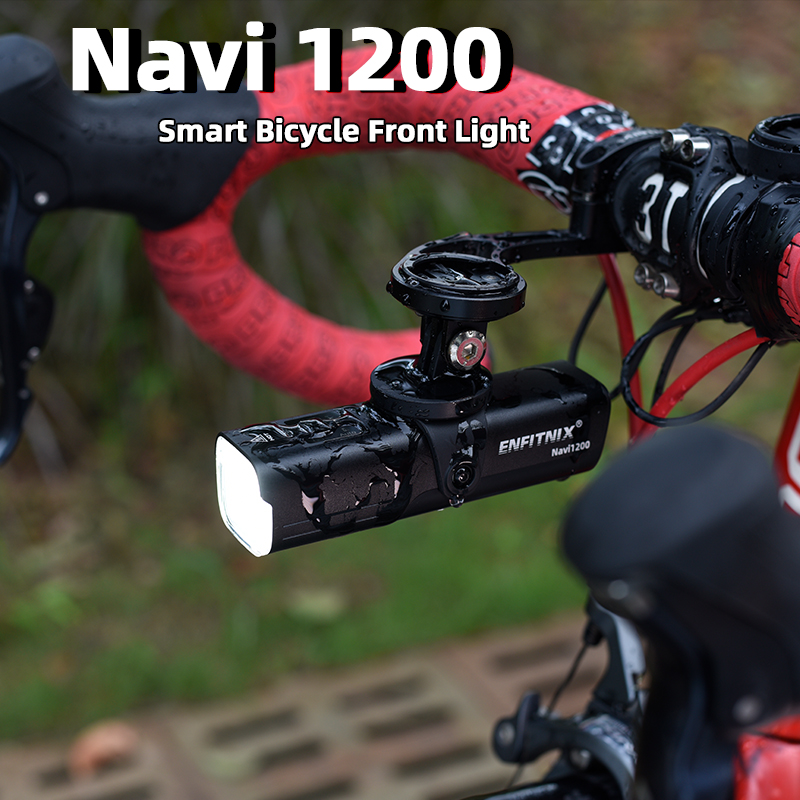
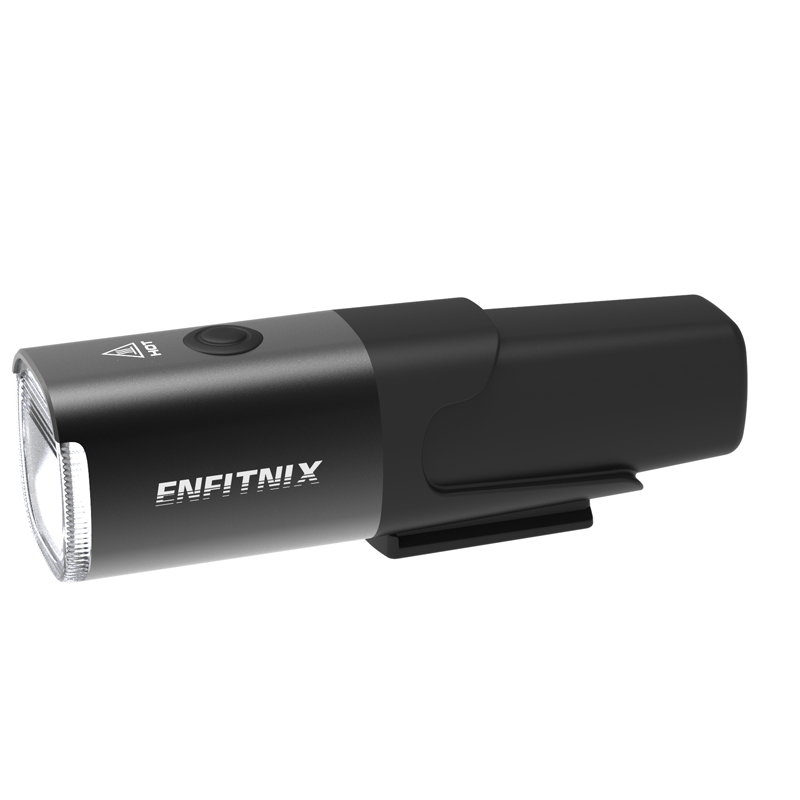
Navi800 Smart Bicycle Front Light
© 2020 by Enfitnix Technology Co,. Ltd.
1. Product Specification
Product Name: Navi800 Smart Front Light
Dimensions: L:105mm W:31mm D:34mm
Operation Mode | Auto/Manual |
Battery | 3350mAh rechargeable Lithium-ion battery |
Run Time | 8.4hrs@200Lm, 3.7hrs@374Lm, 2.2hrs@572lm, 1.5hrs@800Lm |
Weight | 139G(Including mounting bracket) |
Color: | Black |
Waterproof | IPx6 |
2. Accessories

3. Operation and functionality
Navi800 comes with a motion sensor which allow the light to detect if the user is moving the bike and turning on/off the light automatically.
Key Function:
Operation | Function |
Single Click | Change the output power or turn on the light |
Double Click | Switch between Auto mode and manual mode |
Press down > 1s | Switch off * |
Note:*When operating in Auto-mode the light will be turn on again if motion is detected .
Auto/Manual mode
The Navi800 supports two operation modes which can be changed between the two modes by double clicks the button.

4. Charge the battery
Charge the battery
Remove the rubber seal ① on the bottom of Navi800 and charge the battery via the USB connector,the charge indicator ② will turn on Red. Battery will be fully charge in 2~3 hours. Charge indicator ② will turn red when charging is in progress and will turn green when charge completed.
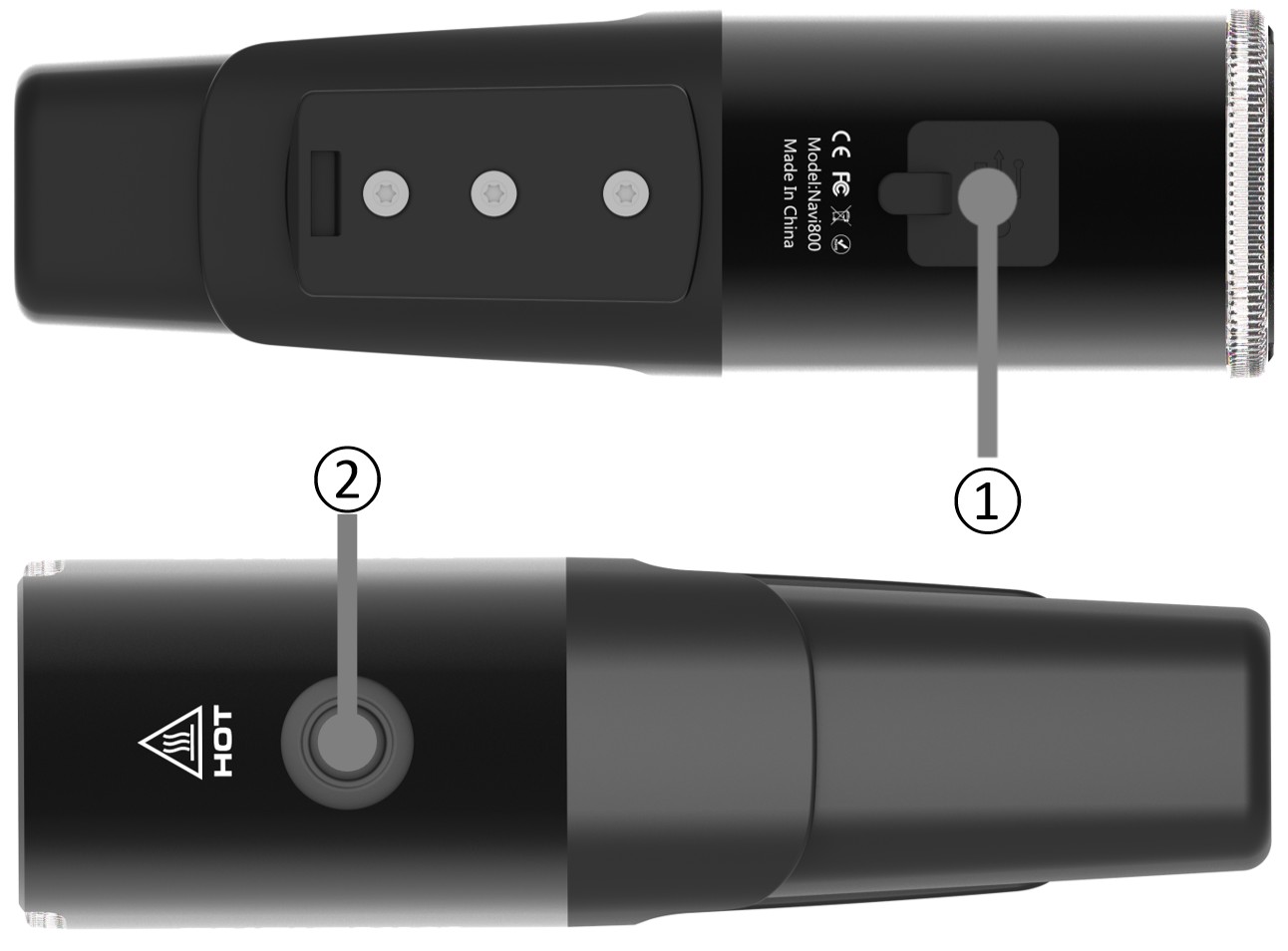
Fig.2
Replace the battery
The battery can be remove/replace by turning the cartridge clockwise or anti-clockwise as below:

Fig.3
5. Installation
Handlebar mount:
Mount the handlebar bracket ① to the handlebar and slide in the Navi800 ②.
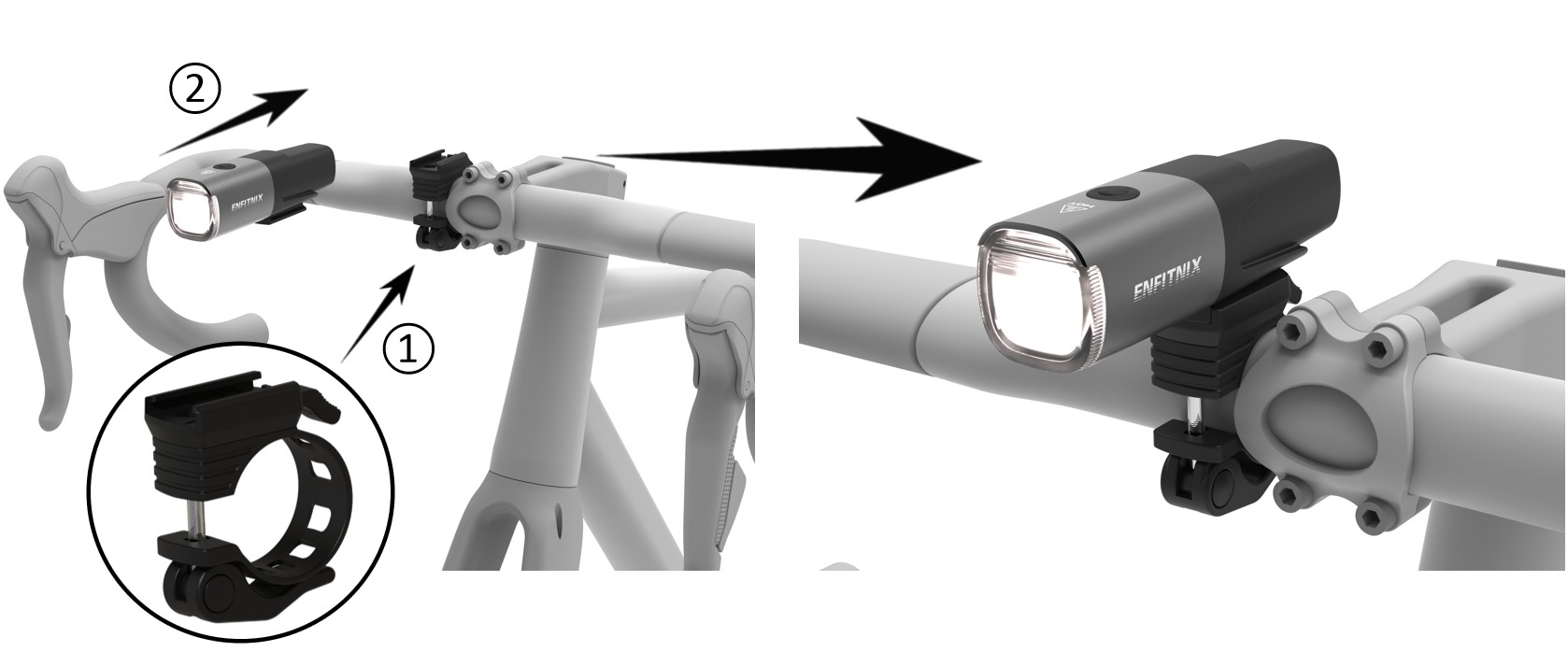
Fig.4
Cycle Computer Mount (GroPro Adaptor)
Install the GoPro adaptor ① to a standard cycle computer bracket (with GoPro mount). and slide in the Navi800 ②. Make sure keep the button on the top③.
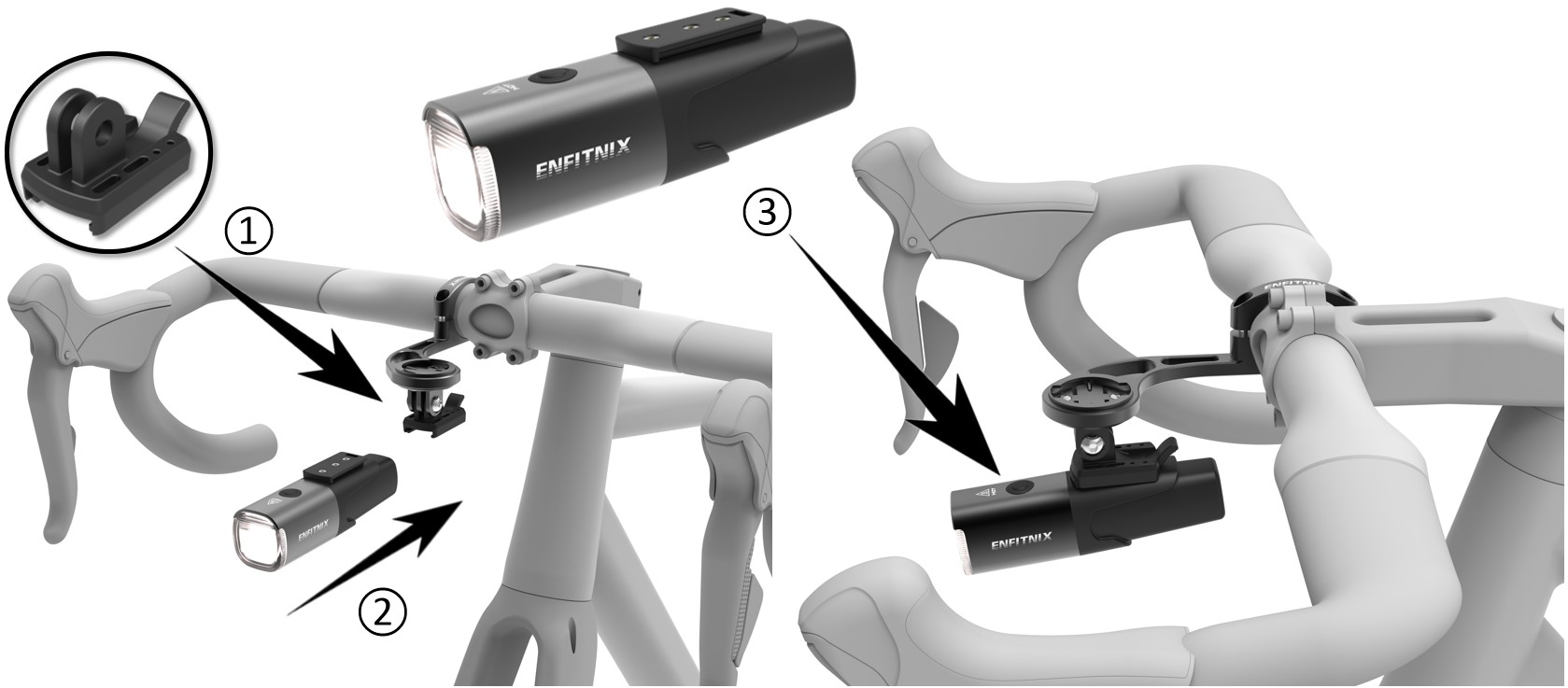
Fig.5
6. Warranty
The tail light is covered by a one year warranty.

Dongguan Enfitnix Technology Co., Ltd.
Customer Service: ecs@enfitnix.com
© 2020 by Eenfitnix Technology.

Tel: +86 (0) 769 22234810 Email: sales@enfitnix.com
Dongguan Enfitnix Technology Co., Ltd.
Address: 1703, Block 2, No.11, LiaoBuYanHeNan Rd.,SongHuZhiGu Sci&Tech Park, Liao Bu, Dongguan, Guangdong, China. Postcode:523000
Enfitnix Technology North America Inc
Address: 4101 Power Inn Road, Suite A, Sacramento CA 95826

点击右上角
分享给朋友吧
Copyright @ Foreign Trade Template Station 2020 Site Map
