
RR01 Smart Radar Tail Light User Manual
Author:Dongguan Enfitnix Technology Co. Ltd.
Click:
Time:2025-06-17 09:38:43
User Manual
RR01 Smart Radar Tail Light
Rev.0.0
1. Product Specification
Product Name:RR01Smart Radar Tail Light
Dimensions: L:65mm W:33.5mm D:18.5mm
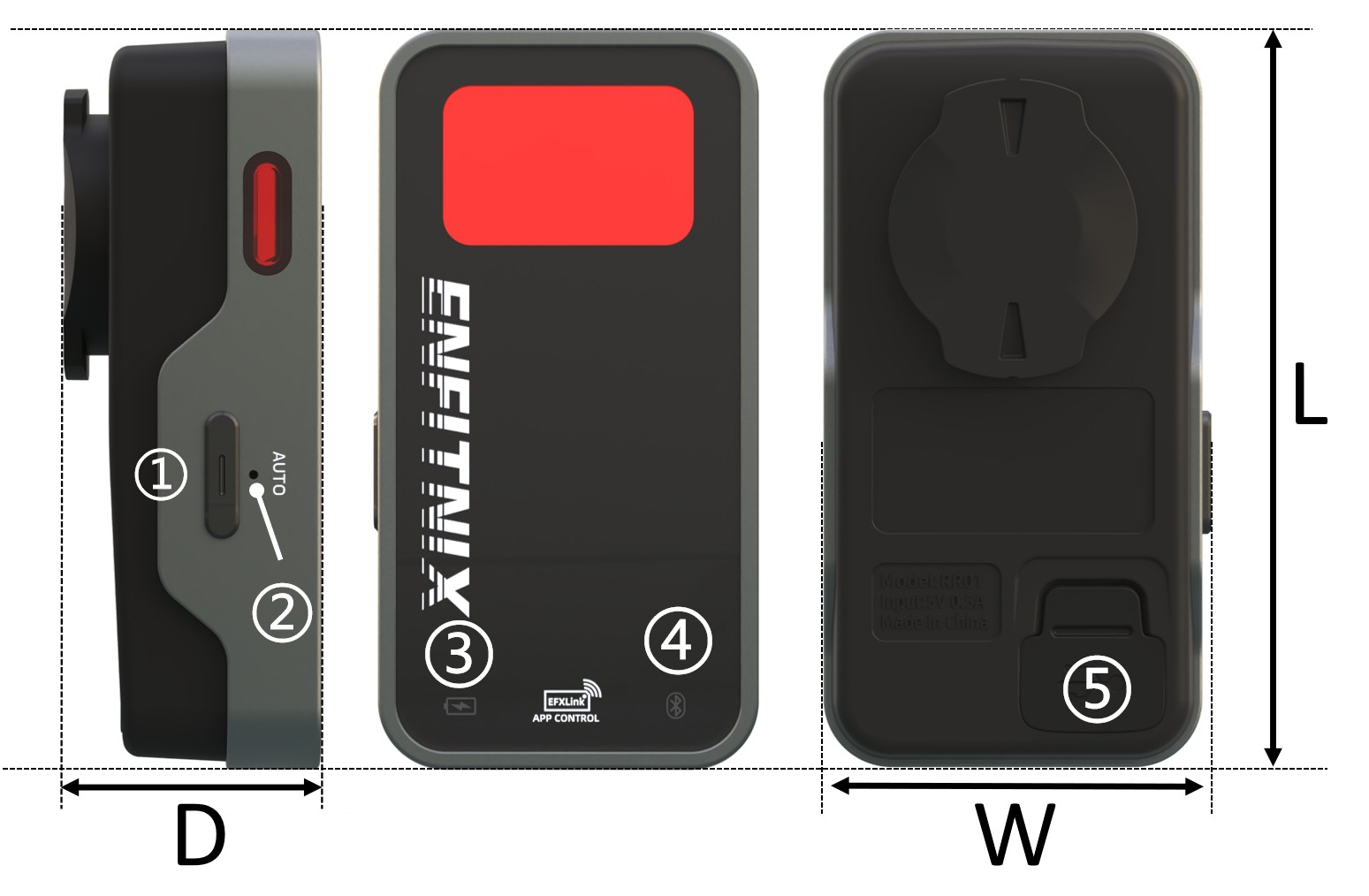
Fig. 1
①Function Key ②AUTO Indicator ③Charge/Battery Low indicator ④BLE indicator ⑤USB Port
Operation Mode: Auto-Mode/Manual-Mode
Flash mode: Flash, Burst, Constant On, Breath
Battery: 750mAh
Run Time: 3~13hrs(without brake light turn on)
Weight: 44.8g(not including mounting bracket)
Color: Black, Gunmetal Gray
Waterproof: IPx6
Input: DC 5V<500mA(max)
The RR01 equipped with sub-millimeter wave radar technology, offering a detection range of up to 140 meters and covering a wide 40° horizontal angle. It can accurately identify moving objects traveling at speeds between 5–120 km/h, automatically filtering out stationary or receding targets. It also supports simultaneous tracking of up to 8 vehicles. When a fast-approaching vehicle is detected, the tail light automatically switches to a high-frequency strobe mode to attract the attention of approaching drivers. Meanwhile, it connects to a bike computer or EFXLink via ANT+/Bluetooth, providing both visual cues and audible alerts to the rider for two-way warnings.
The RR01 integrates brake sensing functionality, automatically activating a high-intensity warning when decelerating to reduce the risk of rear-end collisions. It is equipped with side warning lights, offering a visibility angle of up to 270 degrees, and the tail light features four flashing modes that remain clearly visible from up to 200 meters away. Brightness can be adjusted via EFXLink, making it also suitable for group riding scenarios. With IPX6 waterproof rating and a USB Type-C charging design, the RR01 is built for extreme conditions and offers a battery life of up to 13 hours, ideal for long-distance rides.
2. Package Contents

3. Operation and functionality
Function button:
Operation | Function |
Single Click | Change the flash mode or turn on |
Double Click* | Switch between Auto and Manual mode |
Press down for more than 1s | Switch off ** |
Note:
*The “AUTO”LED indicator will start to blink when operate under Auto mode.
**The light will be reactivate in“Auto”mode if motion detected.
Mnaual-Mode and Auto-Mode
RR01 support two operation modes:Manual mode and Auto-Mode. The light need to turn on and off using the function button. When operating under Auto-Mode, the RR01 will be turn on and off automatically as below:
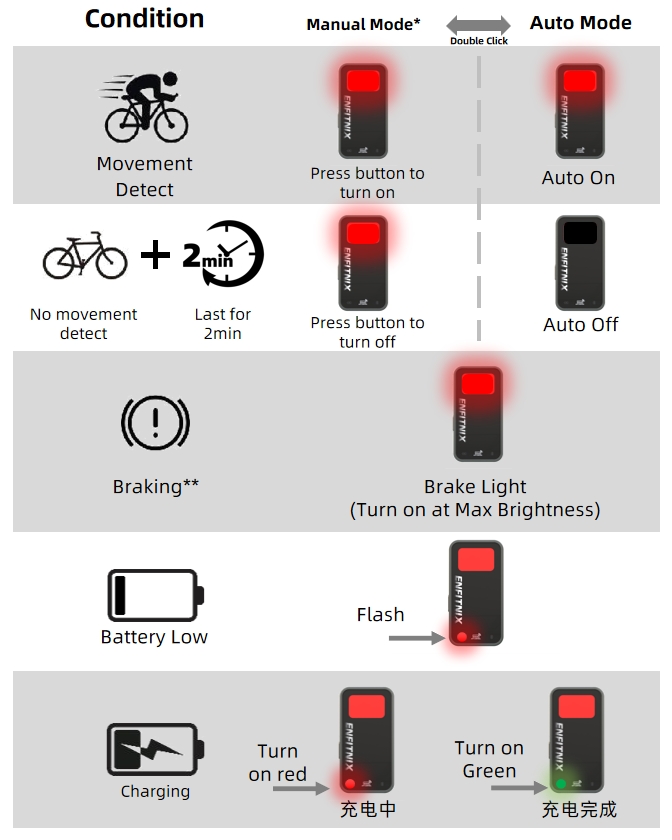
Fig. 2
Note:
*Only the button can turn off the RR01 when operating under Manual-mode.
**The braking sensing is turn-off on default settings. To enable it, you need to connect to the EFXLink.
4. EFXLink
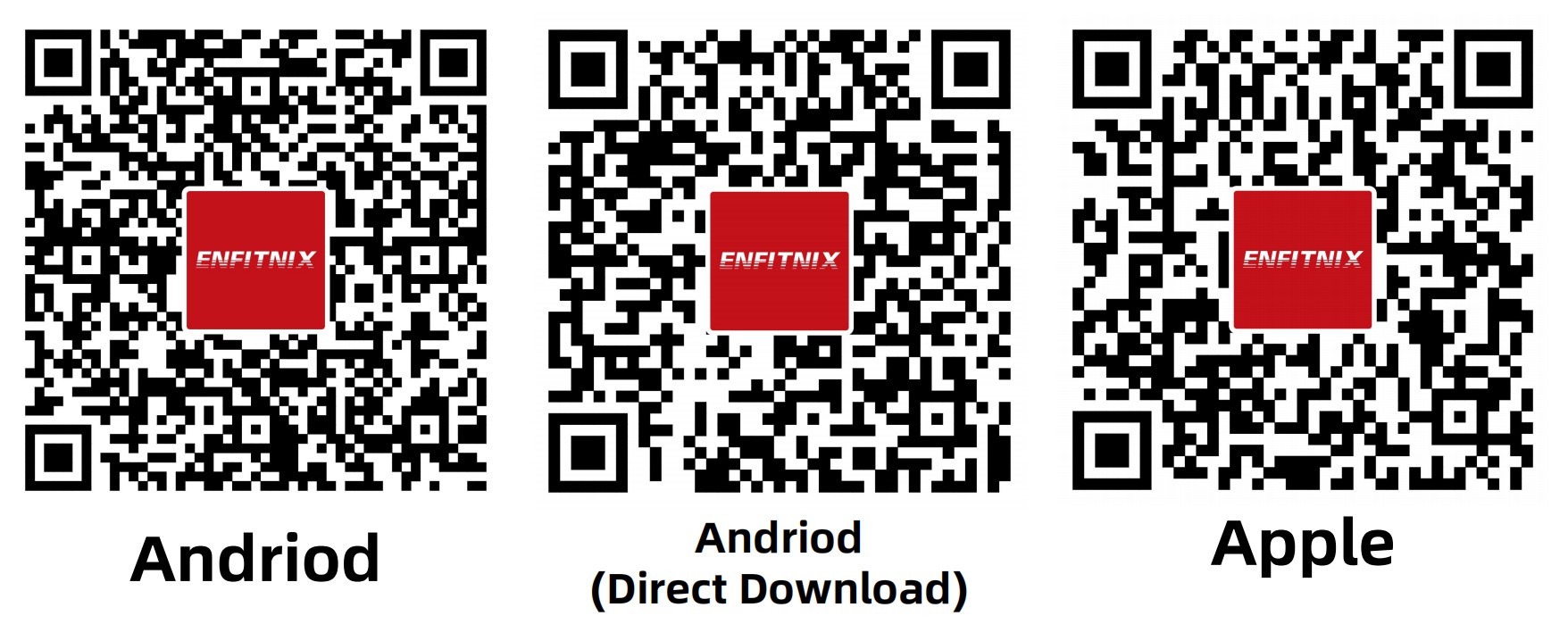
In addition to displaying radar data on a bike computer, the RR01 can also display radar information or configure tail light settings via the EFXLink app. These settings include enabling or disabling the radar module, brake sensing and brightness adjustment, etc. Scan the QR code below to install the EFXLink:
5. Charge the battery
When the RR01 need to be charge the low battery is start to flash(see Fig. 1) in RED. To charge the battery, Open the seal and charge the battery through the USB TypeC port ⑤ in Fig. 1. The battery will be fully charged in about 2~3 hours. ③ will be turned on in Green if charge completed.
6. Intallation Guide
Saddle mount
1. Place the mounting bracket on the seat rails and tighten with the zip-ties. Cut excess length off if need.Insert the RR01 and turn clockwise or anti-clockwise until the light is click-in.
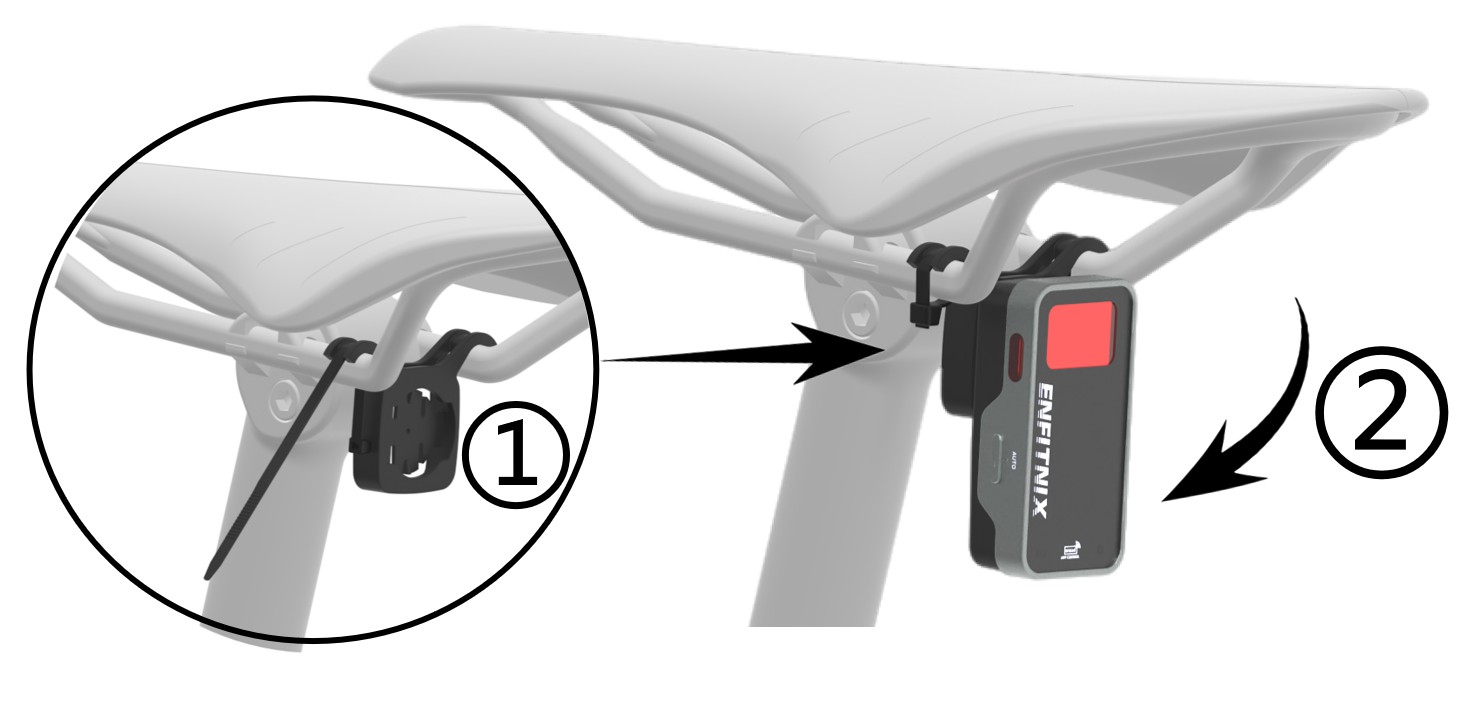
Fig. 3
Seatpost mount
Tighten the Seatpost Mount Bracket with the mouting band . Fit the RR01 on the seatpost mounting bracket and turn 90deg.
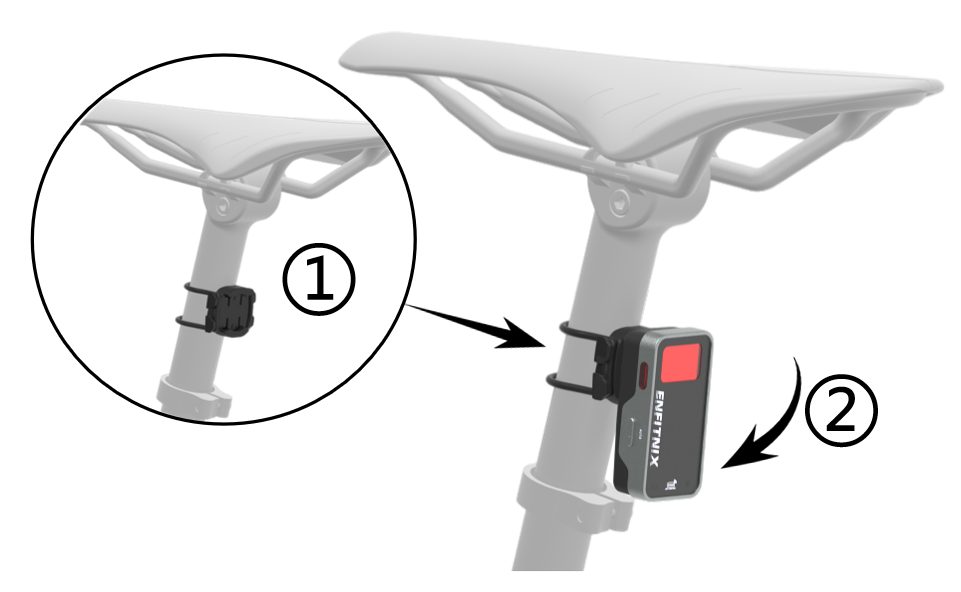
Fig. 4
7. Warranty
The RR01 is covered by one year warranty.

DongGuan Enfitnix Technology Co., Ltd.
Room 453,ShengChanLi Building, SongShanHu, Dongguan, Guangdong, China,Postcode:523000
Customer Service: ecs@enfitnix.com
Tel: +86 (0)768 2223 4810
Please Note: Specification are subject to change without notices.
© 2025 by Enfitnix Technology.
Made In China

Tel: +86 (0) 769 22234810 Email: sales@enfitnix.com
Dongguan Enfitnix Technology Co., Ltd.
Address: 1703, Block 2, No.11, LiaoBuYanHeNan Rd.,SongHuZhiGu Sci&Tech Park, Liao Bu, Dongguan, Guangdong, China. Postcode:523000
Enfitnix Technology North America Inc
Address: 4101 Power Inn Road, Suite A, Sacramento CA 95826

点击右上角
分享给朋友吧
Copyright @ Foreign Trade Template Station 2020 Site Map
